Construction Photo Handover: A Software Brief for Field and Office Teams
Define a construction photo handover before commissioning software: connect images to the right location, question and recipient with a reusable buyer brief.
Essential Designs Team
|
October 9, 2026

Category: Industry Solutions | Custom Software | Web App Development
By Essential Designs Team | Published October 9, 2026 | Updated October 9, 2026 | 7 min read
Before commissioning construction photo software, define the record that must travel with each image: the project, exact location, relevant reference, observed condition, question and person expected to respond. A searchable album is useful, but it is not the same as a usable handover.
This brief helps construction operations teams describe a field-to-office workflow without starting with a long feature list. The central question is simple: can the next person understand what they are looking at and what they have been asked to do?
Key takeaways
- Treat the photo and its decision context as one record, rather than making the office reconstruct the story.
- Separate a visible observation from an interpretation or request for technical judgement.
- Make project location and drawing reference explicit; a filename is not a dependable location model.
- Write the office question before specifying notifications, dashboards or an approval chain.
- Start with a representative handover pack and assess what your existing tools already support before commissioning new software.
What is the photograph supposed to help someone decide?
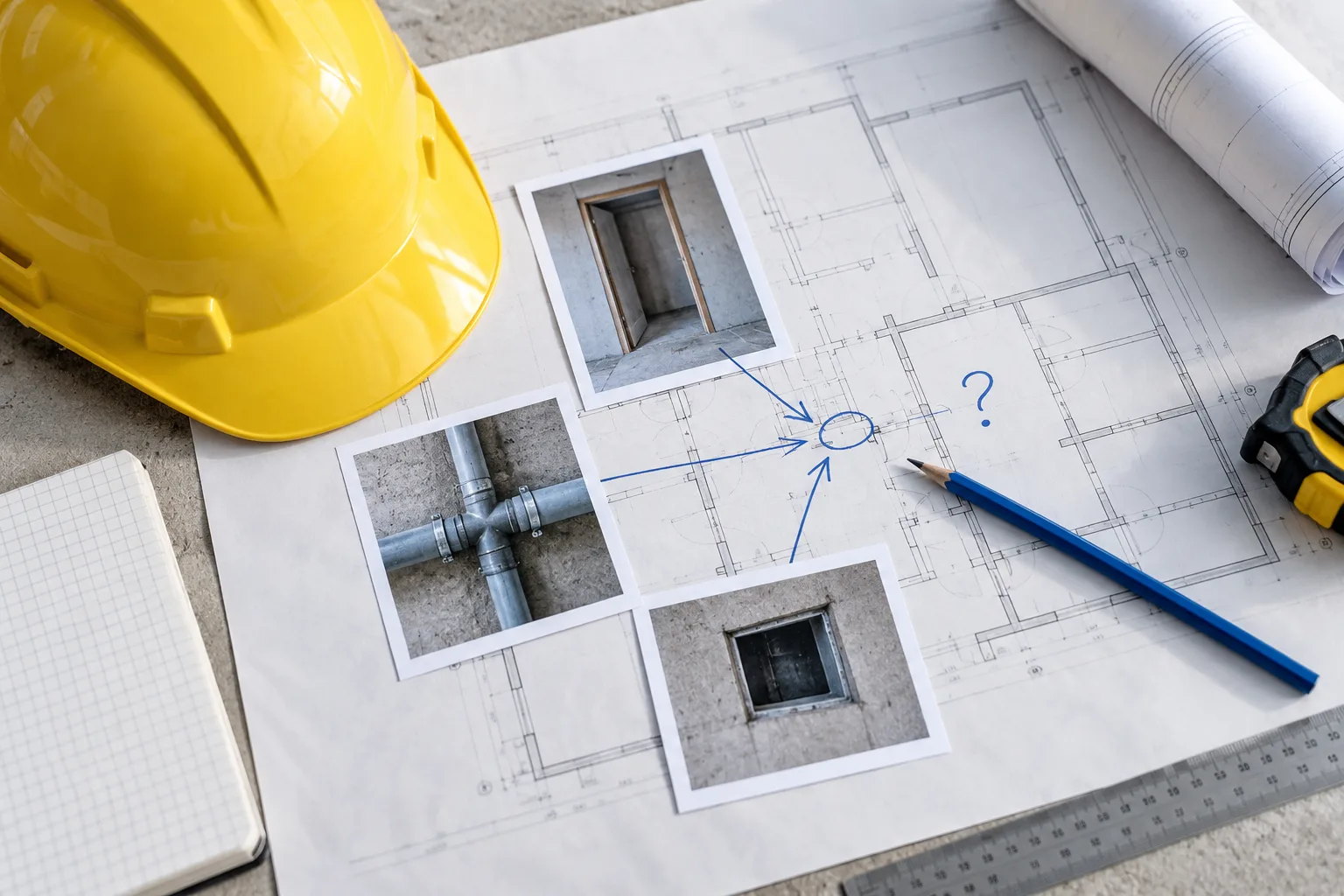
Consider a hypothetical site supervisor photographing a doorway. The photo shows an opening, but the office still needs to know which opening, which drawing is relevant and why the supervisor sent it.
One possible request is: "Please confirm which drawing reference the team should use for this opening before scheduling the next activity." Another is: "Please add this image to the progress record." Those are different workflows. The first needs a named recipient and a response that stays connected to the question. The second may simply need classification and retrieval.
Do not label both as "upload photos." That label hides the reason the software exists.
For a buyer exploring construction software development, a useful starting point is a small set of actual, approved handovers with unnecessary personal or commercial information removed. Include one that reached the right person, one that needed clarification and one that belonged in the wrong project. These are discussion inputs, not a claim that three examples represent every site.
What belongs in a portable photo record?
The Essential Designs photo handover brief below is an editorial planning framework, not a construction standard. Its purpose is to make the information object clear enough that field and office teams can discuss it together.
| Record element | Question to settle | Hypothetical example |
|---|---|---|
| Project | Which job owns the record? | Project Cedar, an illustrative name |
| Location | Where would someone find the subject? | Building B, level 2, east corridor, opening E-14 |
| Reference | Which document or item explains the context? | Drawing A-204, revision recorded from the approved source |
| Capture details | Who recorded it, and when? | Actual capture date and responsible team member |
| Observation | What is visibly present? | Photograph shows the opening and adjacent wall |
| Office question | What response is requested? | Confirm the applicable reference for this opening |
| Recipient | Who can address that question? | Named project coordinator or designated role |
| Response record | How will the answer remain connected? | Linked response, responder and actual response date |
A reference should identify the source and revision, not just say "latest plan." If the system cannot verify that a document is current, it should not imply that it has done so. A typed revision is a recorded statement; it is not proof of document control.
Likewise, keep capture time distinct from upload time. A photo captured yesterday and uploaded today should not silently become evidence of today's site condition. That distinction belongs in the brief even if the first implementation records the capture date manually.
How do you write the handover before designing the screen?
Use this fill-in narrative with the people who send and receive the information:
The sender is: the role recording the image, using a real working device in a stated setting.
The image concerns: the project, location and relevant reference.
The sender observed: a plain description of what can be seen, without turning a photograph into an engineering conclusion.
The office is being asked to: provide one defined response or take one named administrative action.
The recipient needs: the minimum context that allows them to answer without starting a separate search.
The record must remain usable when: someone changes roles, the project moves into a later phase or the image is shared with an authorised participant through the agreed process.
The record is complete for this purpose when: the requested information is present, the response is attached where needed and the original observation remains distinguishable from later interpretation.
Do not use "approved" as a catch-all end state. Acknowledging receipt, identifying a drawing and giving a technical approval are not interchangeable. If a regulated professional judgement is needed, the responsible qualified person and established project process remain essential. This article is software-planning guidance, not safety or engineering advice.
What field conditions change the brief?
Ask the sender to walk through the record while wearing the equipment and using the device they normally use. The point is to identify practical constraints, not to claim that a desk prototype proves field suitability.
A small text box may be awkward when the sender needs to identify a location. A long project selector may invite the wrong choice when several sites have similar names. Several photographs of the same detail may need to stay grouped so that a wide context image is not separated from its close-up.
Record the operating conditions explicitly:
- Whether the sender can identify the project before capturing an image.
- Whether the location is selected from an agreed structure or typed freely.
- Whether several photos belong to one question or several different questions.
- What the sender should do when a reference is unavailable.
- Whether interrupted connectivity requires a supported capture-and-transfer workflow.
The last point is a requirement to investigate, not a promise that every app works offline. Ask the proposed development team to explain the behaviour, limitations and recovery path for the actual devices and environments involved.
What can you learn from an existing construction platform?
Autodesk's official iOS issue-creation documentation describes issue details including assignee, location and placement, alongside photo attachments and references to other project files. That is a concrete example of an image participating in a structured record rather than standing alone.
It does not establish that Autodesk, or any particular product, meets your organisation's workflow. Use the example to ask better questions of the systems you already own. Can they carry the required location and reference? Can the office response stay attached? Which part of the handover still depends on someone rewriting the story elsewhere?
If the gap is a missing convention, agree the convention first. If it is a missing connection between systems, describe that connection. If a materially different workflow remains, take that evidence into a custom software discussion instead of assuming that a new photo album is the answer.
What should you bring to a development conversation?
Bring a representative photo pack, the completed narrative and a list of unresolved ownership questions. Identify which existing system remains the source for project names, locations and documents. State who maintains those lists after launch.
That maintenance responsibility matters as much as the first upload. A location structure that nobody owns will eventually reflect conflicting conventions. Include ongoing administration in your software support planning, rather than leaving it as an informal favour.
Before inviting proposals, use the software project readiness checker to identify other missing inputs. The output should be a clearer buying conversation, not a larger feature inventory.
The useful decision is whether your organisation needs a better handover convention, an integration or a genuinely different application. Talk to Essential Designs about your construction workflow with the photo record and office question already in hand.
Sources and scope
The Autodesk documentation linked above supports the narrow description of its published issue fields, attachments and references. The brief, examples and recommendations are original Essential Designs editorial planning material. Project Cedar and the doorway record are hypothetical; no client project, measured efficiency improvement or technical approval is claimed.
Research reviewed October 9, 2026. Recheck the source and linked service pages by January 9, 2027, or sooner if the relevant workflow or product documentation changes.

Essential Designs Team
October 9, 2026