Google Pixel 6 and 6 Pro: 2021 Review and Mobile UX Lessons
A clearly dated look at the Pixel 6 and Pixel 6 Pro, with product-design lessons for testing layouts, performance, camera workflows, and accessibility.
Archive and update note (September 21, 2026): The Pixel 6 and 6 Pro launched in 2021. This is a historical product-design analysis, not current buying advice or a hands-on benchmark. We corrected the launch specifications against Google's Pixel hardware specifications and separated documented device capabilities from our UX interpretation.
What Changed Between Pixel 6 and Pixel 6 Pro?
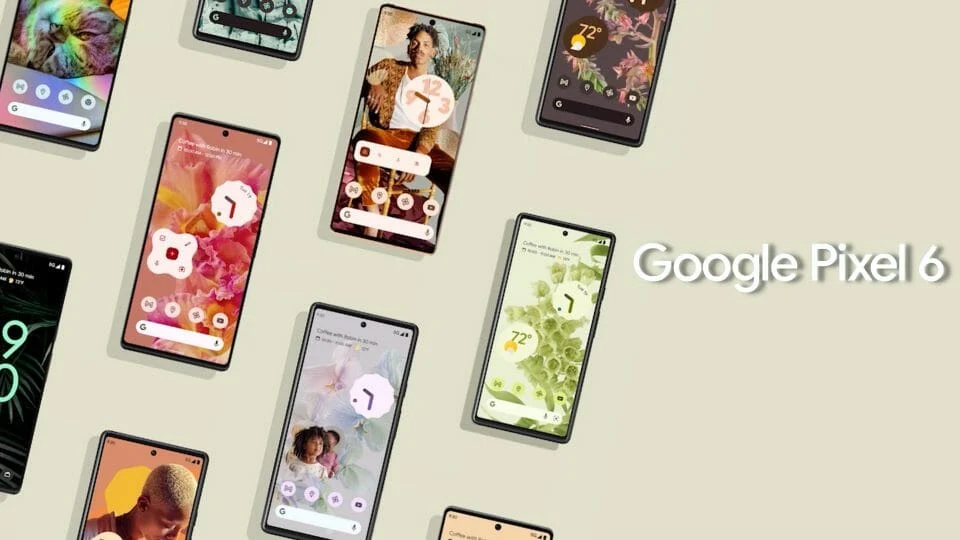
At launch, the Pixel 6 had a 6.4-inch, 1080 × 2400 OLED display with a refresh rate up to 90 Hz and 8 GB of RAM. The Pixel 6 Pro had a 6.7-inch, 1440 × 3120 LTPO OLED display with a refresh rate up to 120 Hz and 12 GB of RAM. Both launched with Android 12 and Google's first-generation Tensor chip. These specifications describe the 2021 models; they do not establish which phone someone should buy in 2026.
Mobile App UX Lessons From the Two Devices
Design for usable space, not a single screen size
The Pro offers a larger, denser display, but that does not mean controls can simply be placed farther from the user's thumb. Test forms, maps, navigation, and bottom actions at both sizes. Include large text and display-scaling settings: a layout that looks balanced in a design file may wrap or hide important actions on a real device.
Keep the interface responsive on different hardware
The 90 Hz and 120 Hz display options can make animation feel smoother, but refresh rate cannot compensate for slow data loading or a blocked main thread. Product teams should test scroll, transitions, loading states, and low-network conditions on more than one device. Motion should clarify state changes, respect reduced-motion preferences, and never be the only way to understand an action.
Design camera and AI features around user control
Pixel's camera and on-device processing illustrate how software can make an everyday task feel simpler. In a business app, the useful question is not whether the phone has AI; it is whether a feature saves a user a step while letting them review and correct the result. For example, a field app that extracts text from a photo should show the extracted value, the source image, a correction path, and a clear failure state.
Test permissions and accessibility as part of the workflow
Camera, location, notifications, and background behavior depend on OS permissions and user choices. A complete app flow should explain why access is needed, work when permission is declined where possible, and make recovery easy. Test touch targets, screen-reader labels, contrast, landscape behavior, and keyboard input rather than relying on a specification sheet.
What This Comparison Can and Cannot Tell You
Published specifications can establish display sizes, memory, and launch software. They cannot prove battery life in your workflow, app performance, or how users with different needs experience the product. Those require hands-on testing with the intended audience. For a new mobile application, start with representative devices and task-based usability tests instead of optimizing for one flagship phone.
Essential Designs helps teams plan, build, test, and support custom mobile apps. See our mobile app development services if you are planning a real product workflow.