A Working Demo Is Not a Release-Ready Application
A convincing software demo is not launch evidence. Learn what buyers should examine through realistic user tasks, interruptions, equipment and support handover.
Essential Designs Team
|
October 2, 2026

Category: Software Development | Custom Software | Web App Development
By Essential Designs Team | Published October 2, 2026 | Updated October 2, 2026 | 6 min read
A successful demo proves that a chosen path can work. It does not prove that the application can support ordinary users, awkward inputs, interrupted tasks and the people who will maintain it. Before launch, ask to see evidence from realistic use, not just a more polished presentation.
This distinction matters when a business is replacing spreadsheets, connecting operational systems or introducing a customer-facing application. A demo is useful. Treating it as a complete release decision is the mistake.
Key takeaways
- A presenter-led demonstration and an independent user test answer different questions.
- Completion, recovery and handover deserve attention alongside the happy path.
- Accessibility spot checks can reveal barriers, but cannot establish full conformance.
- A smaller first release can be sensible when its boundaries and support arrangements are explicit.
- Ask for evidence tied to the version and environment you intend to launch.
Why does a convincing demonstration leave so much untested?
The presenter usually knows the system, the account, the expected inputs and the sequence that will succeed. They can explain ambiguous labels, avoid incomplete features and move past a slow response. The audience sees the result without necessarily seeing the conditions that made it possible.
That is not evidence of dishonest development. A demonstration is designed to communicate progress. It is not designed to reproduce every operational constraint.
Consider a hypothetical order-processing application. In a demo, a prepared order moves from entry to approval to a printable document. During normal work, an employee may need to revise a quantity, find a duplicate reference, switch between locations or resume a task after a browser closes. The printer may be unavailable. A successful prepared order tells the buyer little about those situations.
If these conditions affect the business outcome, put them into the release conversation. The custom software development scope should describe the work people need to complete, not merely the screens they will visit.
Who is doing the driving?
There is an important difference between watching a developer and watching an intended user. Nielsen Norman Group describes usability testing as observing participants as they attempt tasks. A presentation with commentary cannot substitute for that observation. Usability Testing 101.
Give a representative user a realistic goal and a starting point. For example: find the order awaiting your approval, correct its delivery date and send it back with an explanation. Avoid telling the person which button to press. Observe where they hesitate, what they believe happened and whether they can finish.
A user completing a task once is still not proof that the entire application is ready. It is a different, valuable piece of evidence. Combine it with functional checks and an understanding of the working environment.
Use fictional or authorised test records. Make clear what the exercise covers and what it does not. No employee should be judged on how quickly they understand an unfinished interface.
The parts between the screens matter
A workflow is not complete when the final screen appears. Ask what happens after an action: does another person receive the work, does the notification arrive, does the exported document make sense and can the user find the result tomorrow?
Interrupted work deserves equal attention. What does the application say when a request fails? Can a person tell whether their action succeeded? Will retrying create a second record? Where does the task remain while a connection is unavailable?
These are questions to investigate, not instructions to promise that every failure can be prevented. Different applications need different recovery behaviour. A document editor, stock-control tool and booking platform do not have the same consequences when a user repeats an action.
If work passes between systems, use the existing API integration contract guidance to describe responsibilities. This article is about the experience across the whole release, rather than redefining an integration contract or approving migrated data.
What happens on the equipment people actually use?
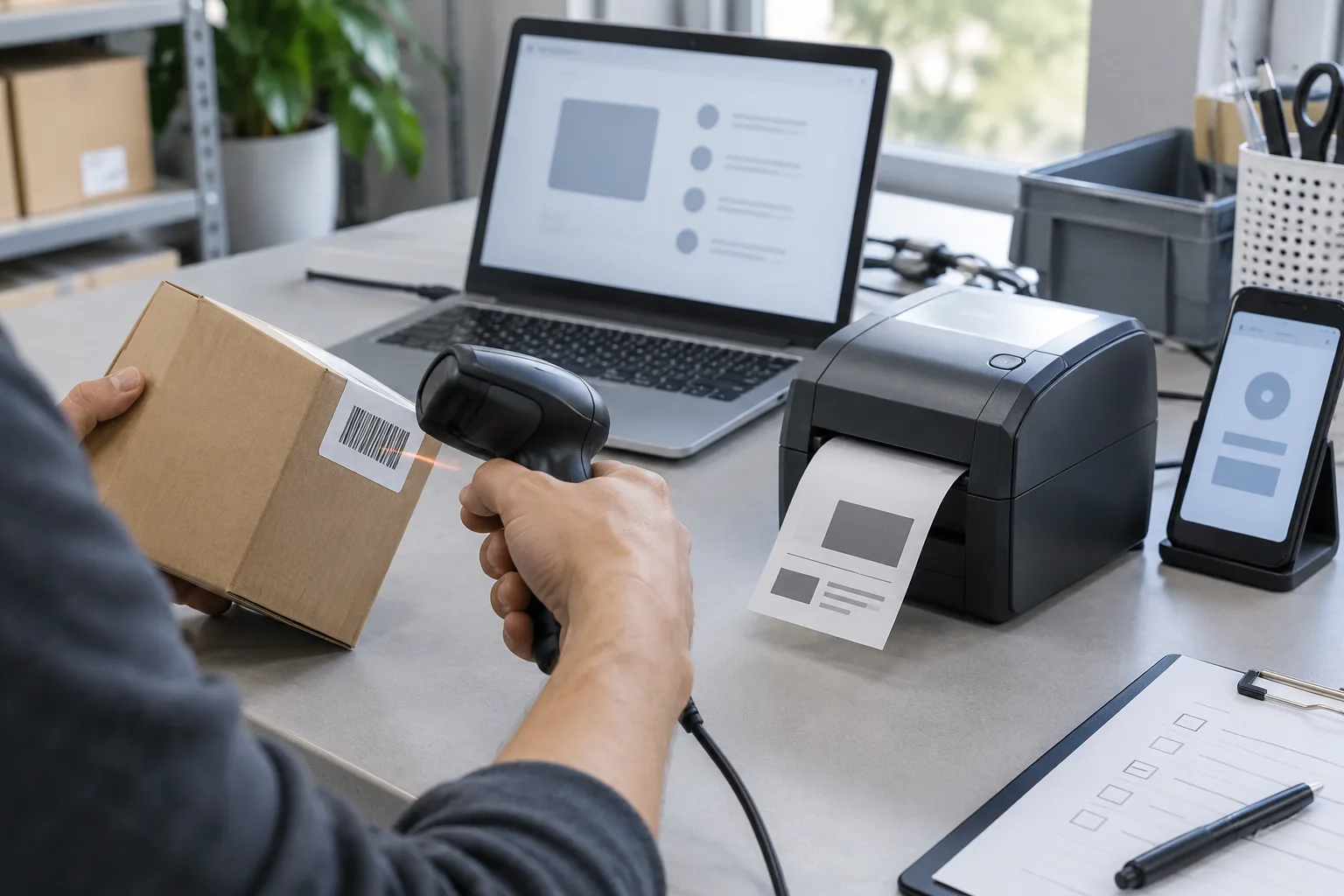
Testing on a developer's large display does not establish that the application works on the devices used by the business. Identify the supported browsers, screen sizes and peripherals. Include keyboards, scanners, printers or shared workstations where they are genuinely part of the workflow.
A buyer does not need an endless device list. They need an agreed support boundary and evidence from representative conditions. If a mobile feature is intentionally excluded from the first release, state that plainly rather than letting staff discover it while working.
Accessibility also belongs in the conversation. W3C's preliminary checks cover issues such as keyboard access, visible focus, labels and text resizing, while explicitly warning that passing quick checks does not establish comprehensive accessibility. W3C Easy Checks.
Use those checks to start a review, not to announce compliance. Arrange appropriate specialist evaluation where the project requires it. This is a software-delivery discussion, not a determination of legal obligations.
A hypothetical warehouse release tells two different stories
Imagine an internal application for receiving goods. Its demonstration scans one label and displays an expected item. The buyer is pleased because manual entry appears to disappear.
In a rehearsal, a receiving employee encounters a damaged label, two similar items and a delivery that is split across boxes. The employee also needs to leave the desk before finishing. None of these conditions invalidates the idea. They reveal the questions a controlled rollout must answer.
The useful response is not automatically to rebuild everything. The team might provide a clear manual exception route, limit the initial rollout to one receiving desk and assign a support owner. It should then record what remains manual and what must improve before expansion.
The example is fictional. It does not describe an Essential Designs client or claim a measured outcome.
Ask for a rehearsal, not another sales presentation
Essential Designs recommends a three-scene release rehearsal: a normal task completed by an intended user, a recoverable interruption, and a handover to the person who receives or supports the work. This is an editorial recommendation, not a certification or a universal test standard.
For each scene, record the application version, test environment, task, observed result and unresolved issue. An issue needs an owner and a decision: resolve it, narrow the release or explicitly accept a documented limitation. A list of screenshots without that context is difficult to use later.
The UK Government's beta guidance offers a useful operational principle: introduce the service to real users, learn from use and ensure the team can support it. Its government assessment process is not a requirement for Canadian businesses. How the beta phase works.
Discuss ongoing ownership through software support, including how staff report problems and how fixes are reviewed. Launch is a change in operating responsibility, not the end of it.
What should a buyer decide next?
Keep the demo. Then ask what evidence is still missing for the proposed launch boundary. The right answer may be a focused rehearsal, a smaller first release or additional testing, rather than a larger feature list.
If you are planning a business application, discuss the build and release evidence with Essential Designs. Bring the work users must complete, the equipment they use and the people who will support it.
Sources and scope
Sources were reviewed October 2, 2026: Nielsen Norman Group's usability-testing introduction, W3C's preliminary accessibility checks and the GOV.UK beta-delivery guidance linked above. The release-rehearsal recommendation and warehouse example are original editorial material. This article does not establish accessibility conformance, security assurance or a contractual acceptance standard.

Essential Designs Team
October 2, 2026