The schedule changes. Does everyone know?
A delayed trade or a new priority can leave office staff and crews working from different plans. Job details and assignments need a clear home.

Construction software development
When job details live in texts, spreadsheets and separate systems, keeping everyone up to date becomes a job of its own. We build software that helps contractors manage work from the first service order through to the final invoice.
For contractors, trade businesses and construction operations teams.
Discuss your construction software projectSee our Empire Drywall work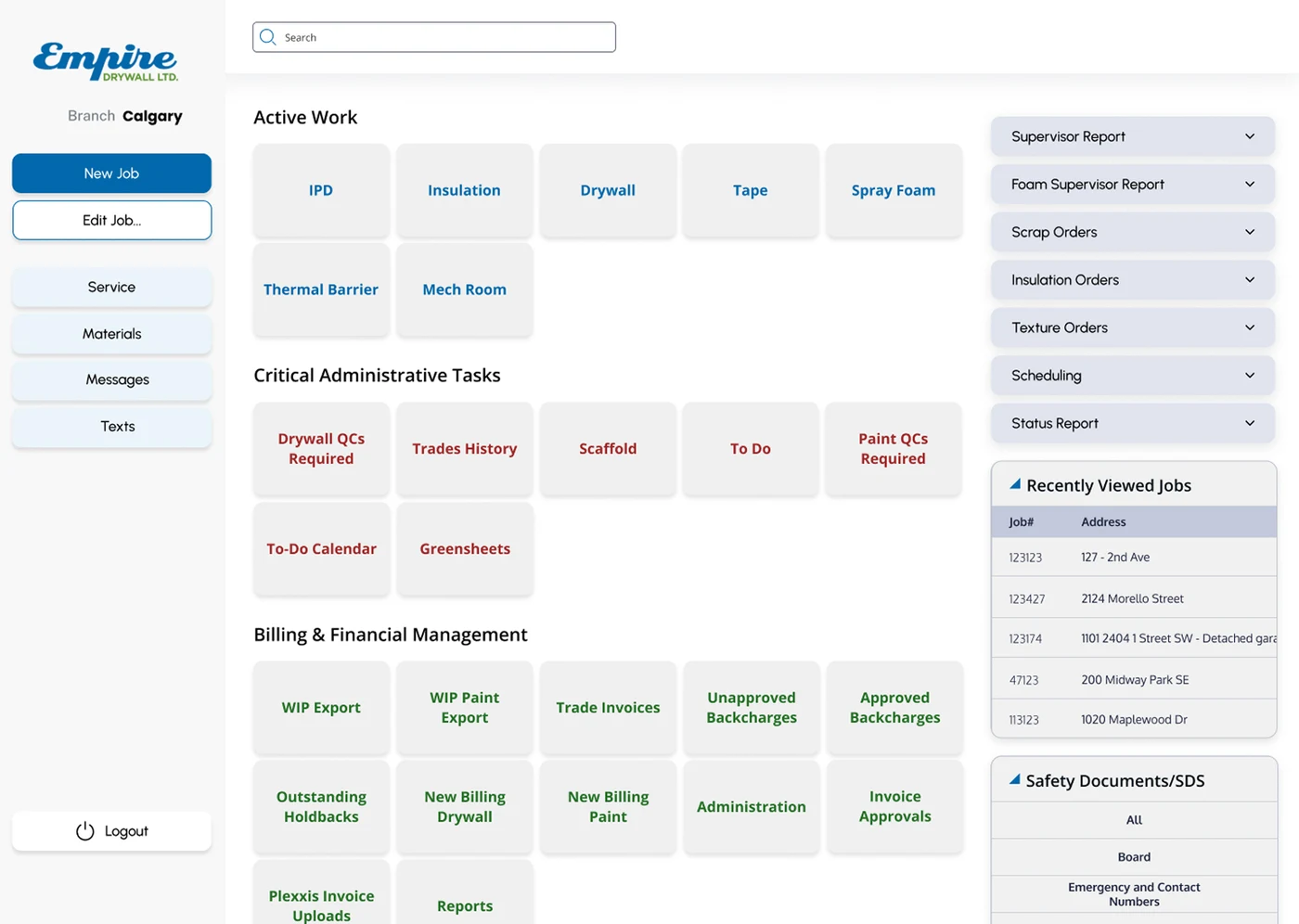
The everyday friction
A delayed trade or a new priority can leave office staff and crews working from different plans. Job details and assignments need a clear home.
Extra work, materials and quality checks can get lost in a message thread. Your team needs to see what is waiting, who decides and what was agreed.
Missing job records and unclear sign-offs send the office back to the site for answers. Keep the information needed for billing connected to the work.
Relevant experience
Essential Designs project
We built a web platform that brings Empire Drywall’s construction operations into one place. Office staff and field teams can work with job details, service orders, schedules, materials, quality checks and billing across multiple trades.
What we can build together
Choose the parts that matter to your business. We will work through the details, existing systems and practical limits with you.
Talk through your priorities ↗Bring the site, scope, trade, assigned crew and supporting documents into one job record. Define which details are required before work can be scheduled.
Plan the work across crews and trades, make schedule changes visible, and give supervisors a practical view of what is coming next.
Design simple steps for progress notes, photos, materials requests and quality checks, with clear responsibility for reviewing exceptions.
Show which jobs are ready for billing and what is still missing. Review your accounting system to decide whether an export or a direct connection is the right fit.
A practical first step
Show us how a job is booked, assigned, changed, checked and billed today. Bring an example work order and explain where the team has to chase information.
Start with the part causing the most friction, such as work orders and crew scheduling. Agree on what the office and site teams must be able to do before adding more.
Test with the people who will use it, on their devices and under their connection conditions. Plan how open jobs will move across and who will support the team after launch.
A free tool to try
Try a fictional work-order example in our free Document Builder. Adapt the details and download a PDF to help explain the form your team needs.
No account required. Your tool entries stay in your browser.
Useful reading
Before you get started
We can assess the options. Bring the product names, the information you need to share and any vendor documentation. Available access, data quality and approval rules determine whether a direct connection, file export or another approach makes sense.
No. A first release can cover one workflow or one team while other systems remain in use. We will plan where records are kept, how information moves and when it is safe to retire an older process.
We can design for phones and tablets. Working without a connection needs its own scope: what can be saved, what happens when someone edits the same job, and how updates sync when service returns.
A walkthrough of a typical job, a few sample forms, the user roles, existing software and your first priority are a good start. We use that information to identify the work, assumptions and decisions behind an estimate.
Let's talk about your project
Tell us where jobs slow down, what your team uses today and what a better working day would look like. We will help define a practical first step.
Prefer a conversation? (888) 559-4825 ↗