AI Chatbot Development Company: Planning Useful Chatbots Around Real Workflows
A practical guide to planning AI chatbot development around real jobs, trusted knowledge, escalation, integrations, testing, analytics, and support.
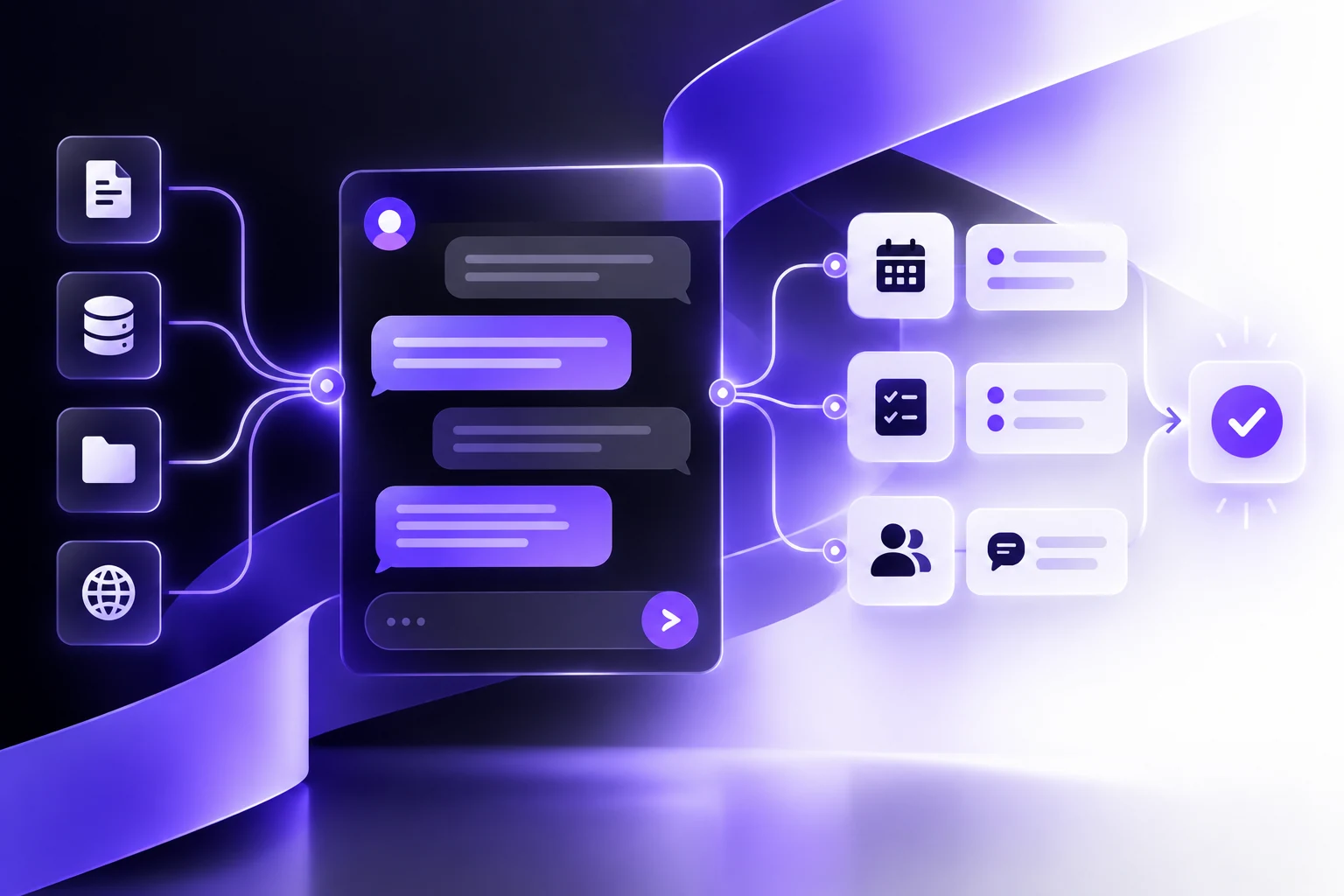
An AI chatbot development company should help plan more than the chat window. A useful chatbot needs a clear job, trusted knowledge sources, escalation rules, integrations, testing, analytics, and a support plan after launch.
Many chatbot projects fail because they start with the interface instead of the workflow. The team adds a chat bubble, connects a knowledge base, and hopes users will get value. That can work for a narrow FAQ assistant, but it is not enough for customer support, intake, employee help, sales qualification, or internal operations.
Essential Designs plans chatbots as part of broader AI development services, custom software, and business workflow automation.
Start With The Job The Chatbot Should Do
A chatbot should have a job. It might answer product questions, triage support tickets, guide lead intake, help staff find policy details, collect structured information, schedule calls, route requests, or summarize documents. The job determines the knowledge sources, user experience, integrations, and risk controls.
A customer support chatbot has different requirements than an internal knowledge assistant. A website lead intake chatbot has different risks than a document review assistant. A staff onboarding chatbot has different permissions than a public sales assistant.
Before development starts, define the user, goal, expected questions, allowed answers, source data, handoff points, failure cases, and success metrics. If those decisions are unclear, the chatbot will feel generic.
Choose The Right Chatbot Type
FAQ Assistant
This is best for answering common questions from a defined knowledge base. It should cite or link to the source material and avoid answering outside scope.
Lead Intake Assistant
This collects information from prospects, asks follow-up questions, qualifies requests, and sends structured data to a CRM, inbox, or project intake workflow.
Support Triage Assistant
This gathers details, categorizes requests, suggests help content, and routes the issue to the right queue or person when needed.
Internal Knowledge Assistant
This helps staff find policies, procedures, product details, technical documentation, or operational knowledge. Permissions and source quality matter heavily here.
Workflow Assistant
This goes beyond answering questions. It helps users complete tasks, update records, create tickets, schedule next steps, or trigger actions inside business systems.
Plan The Knowledge Sources
The chatbot is only as useful as the information it can rely on. Start by listing the sources it should use: website pages, help center articles, PDFs, product data, pricing rules, internal policies, CRM notes, ticket history, SOPs, training documents, or database records.
Then decide which sources are approved, outdated, private, incomplete, or risky. A chatbot should not treat every document as equally trustworthy. Some sources may be public, some may be internal, and some may be restricted to certain roles.
A practical source plan should answer these questions:
- Which sources are allowed for public answers?
- Which sources are internal only?
- Who owns each source and keeps it updated?
- How often does the content change?
- What should the chatbot refuse to answer?
- Should answers include source links or citations?
Design Escalation Rules
Escalation is not an afterthought. It is a core part of chatbot design. Users need a clear path when the answer is uncertain, sensitive, urgent, or outside scope.
Escalation rules might include handing off to support, creating a ticket, emailing a team, sending the user to a contact form, booking a call, or flagging the conversation for review. The chatbot should pass along the conversation context so the person receiving the escalation does not have to ask the same questions again.
For customer-facing chatbots, escalation should be easy to find. Hiding the human handoff may reduce support volume for a moment, but it usually creates frustration and lower trust.
Map The Integrations
Useful chatbots often need to connect to other systems. For example, a lead intake chatbot may need to send data to a CRM. A support chatbot may need to create tickets. An internal assistant may need to search a document repository. A scheduling assistant may need calendar access.
Each integration affects scope. The team needs to review authentication, permissions, API limits, field mapping, error handling, logging, duplicate prevention, and fallback behavior. If the chatbot updates a system of record, human approval may be needed before the update is saved.
This is where chatbot development becomes software development. The conversational interface is only one part of the product.
Design The Conversation
A good chatbot does not need to sound clever. It needs to be clear, helpful, and honest about its limits. Conversation design should define greeting, scope, follow-up questions, fallback responses, escalation language, and how the chatbot handles incomplete information.
For intake workflows, avoid asking too much at once. Ask the minimum set of questions needed to route or qualify the request. For support workflows, confirm the issue before suggesting an answer. For internal knowledge workflows, show the source and make it easy to open the underlying document.
The chatbot should also be able to say when it does not know. A confident wrong answer is worse than a clear handoff.
Testing A Chatbot Properly
Testing should include more than happy-path questions. Build a test set before launch and keep improving it after users start asking real questions.
- Expected questions with known answers.
- Messy questions with typos, slang, or partial context.
- Questions that should trigger escalation.
- Questions the chatbot should refuse to answer.
- Questions requiring source-specific answers.
- Requests that should create tickets, leads, or records.
- Repeated questions, prompt injection attempts, and irrelevant requests.
The OWASP Top 10 for LLM Applications is a useful reference when testing chatbot security and abuse cases.
Measure What Happens After Launch
After launch, review what users actually ask. Track unanswered questions, escalations, repeated failed answers, support tickets created, lead quality, time saved, and user feedback. The chatbot should improve based on real usage.
Analytics should not only measure how many chats happened. They should show whether the chatbot completed the job. For example, did it route the request correctly? Did it reduce repeated support questions? Did it capture enough information for sales? Did staff trust the answers?
Where Chatbots Need Caution
Chatbots should be planned carefully when answers affect legal, financial, medical, safety, hiring, insurance, or contractual decisions. They should not invent policies, pretend to have authority, or answer from restricted information. Higher-risk workflows need human review, clear disclaimers, logging, and escalation.
Even lower-risk workflows need boundaries. The chatbot should know what it can answer, what it should not answer, and when to hand the conversation to a person.
A Practical Launch Checklist
- Define the chatbot job and user group.
- Approve the source documents and ownership process.
- Map escalation rules and handoff destinations.
- Confirm integrations, permissions, and error handling.
- Write fallback responses and refusal behavior.
- Build a test set with expected, confusing, and risky questions.
- Review analytics weekly after launch.
- Assign someone to maintain the knowledge base.
How Essential Designs Helps
Essential Designs helps teams plan chatbot workflows, map knowledge sources, design the user experience, connect systems, test behavior, and support improvements after launch. If the chatbot needs to live inside a larger portal, dashboard, mobile app, or custom platform, our custom software development team can plan the connected system too.
For teams that need ongoing iteration, our assigned AI staff model can support knowledge updates, testing, integrations, reporting, and improvements after the first release.
Related AI Planning Guides
For the broader AI application strategy and related implementation topics, continue here: